
What it does
- Counts in walking order. Areas such as walk-in cooler, freezer, dry storage and bar, in the order you walk them. Items are counted in packs or in kg, L or each. Lines save as you type.
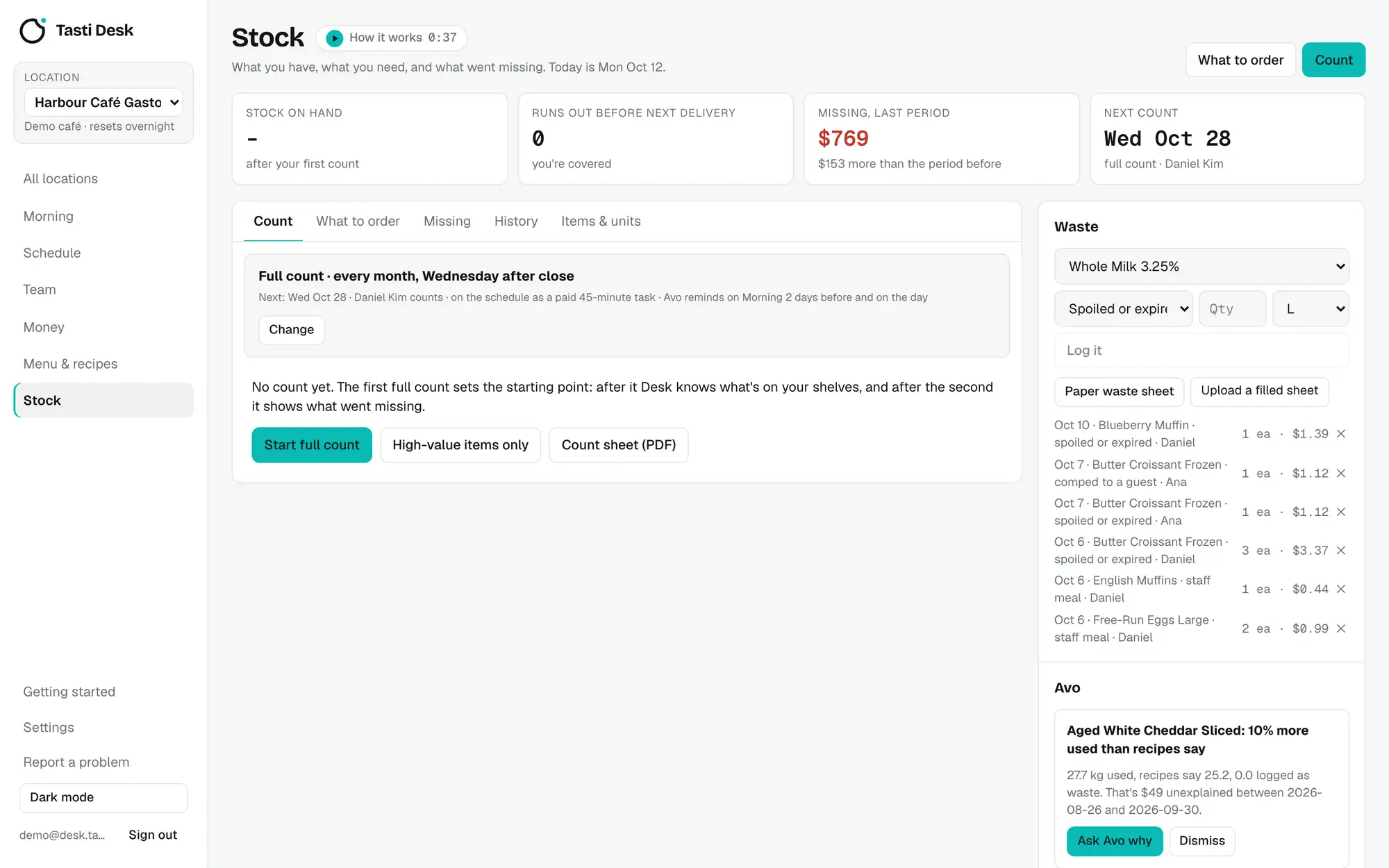
- Full or quick counts. A full count, or a partial count of the items that make up 80% of stock value plus anything that went missing last time.
- Count on a phone. Assign a count to a staff member and it opens on their staff link as a blind count: names and units only, no prices or expected numbers.
- Paper too. Print a count sheet by area, or take a photo of a handwritten sheet and Desk reads it into the count.
- Expected on hand. Last count plus what you bought on bills, minus what recipes used against sales, minus logged waste.
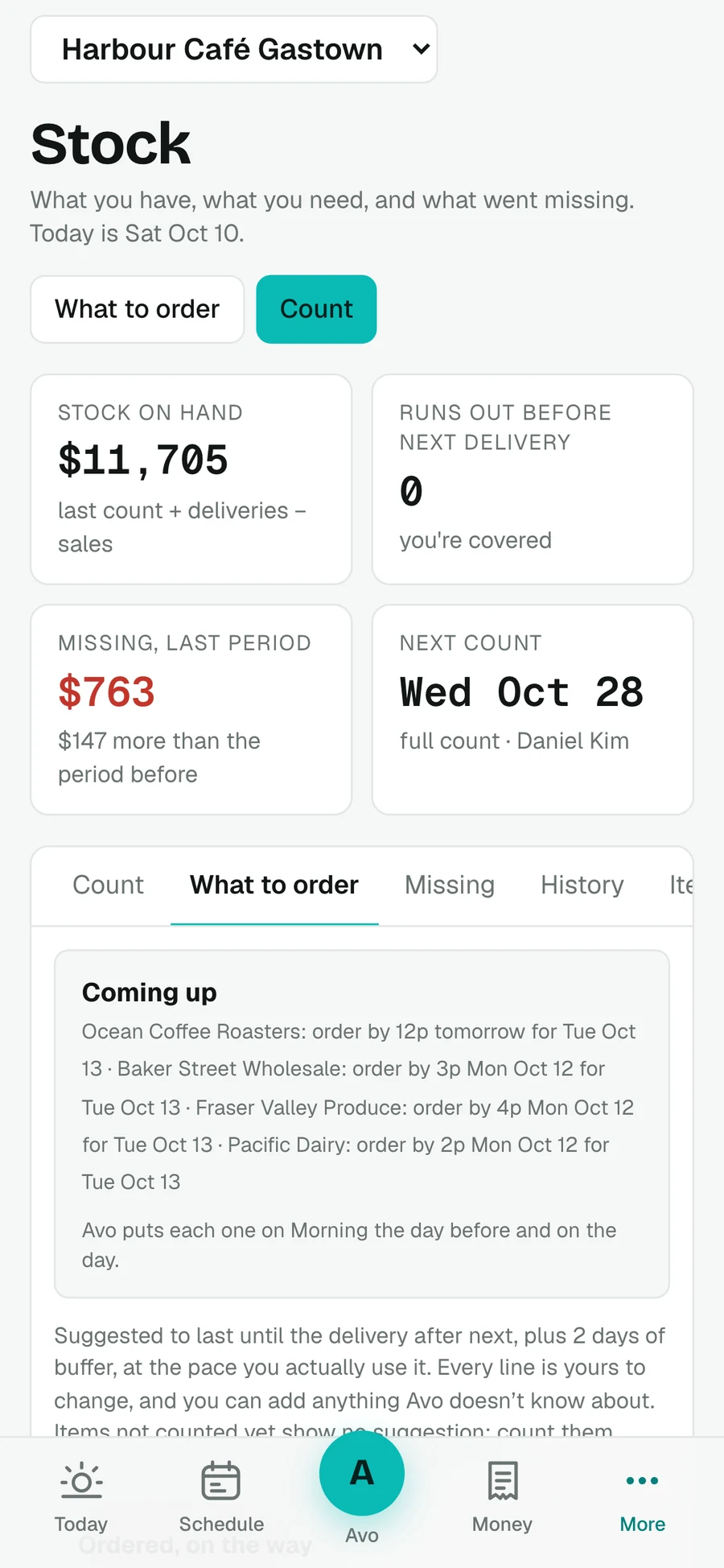
- Runs out before delivery. Flagged when days left is fewer than days to the supplier's next delivery you can still order for, with delivery days, cutoffs and stat holidays taken into account.
- What went missing. Between two full counts: used minus what recipes and waste explain, valued at current prices, with the biggest gap and food cost % for the period.
- Waste log. Spoiled, dropped, staff meal, comp or returned. Photograph the paper waste sheet and confirm the lines.
- Order lists. One draft per supplier: packs to order from use per day, days to the delivery after next and 2 safety days, minus what's on hand and already ordered. Adjust with big plus and minus buttons.
- Count plan. Set how often you count; Desk can put the count on the schedule as a paid task and remind the counter by email.
How it works
- Set up your areas in walking order and add items (or let them come from your bills).
- Do a first full count: on a phone, by a staff member on their link, or on a printed sheet.
- From then on, check What to order before each supplier's cutoff and place the order your usual way.
- Count again; Missing shows what bills, recipes and waste don't explain.
Who it’s for
Cafés, bars and restaurants that count on paper or not at all, and find out they ran out of oat milk on a Saturday.
In BC and the rest of Canada
- Stat holidays in your province move delivery days in the order math.
What it doesn’t do
- Desk doesn't send orders to suppliers: it drafts the email, copies the item codes or the text, and you send it.
- No fixed par levels; order amounts come from your usage.
- Expected on hand and missing need a first count, recipes and sales by item (from Square) to be useful.
Price
Stock and ordering is part of the one Tasti Desk plan: $149 CAD per location a month, or $1,490 a year, with every feature included. 30 days free, no card. Square connects in a few minutes and brings in real sales, menu and team. On another POS, the founder builds the connection on request; schedule, team, bills, menu and stock work either way. See pricing.
Questions
Can staff count stock on their phone?
Yes. Assign the count and it opens on their private staff link as a blind count, with no prices or expected numbers.
Does Tasti Desk send orders to my suppliers?
No. It builds the order and gives you a drafted email, the item codes or a text to copy. You send it.
How does it know what went missing?
Between two full counts it compares what was used with what recipes, sales and logged waste explain, and values the gap at current prices.
Does it use par levels?
No. Order amounts come from how fast you use each item and when the next deliveries are.