
What it does
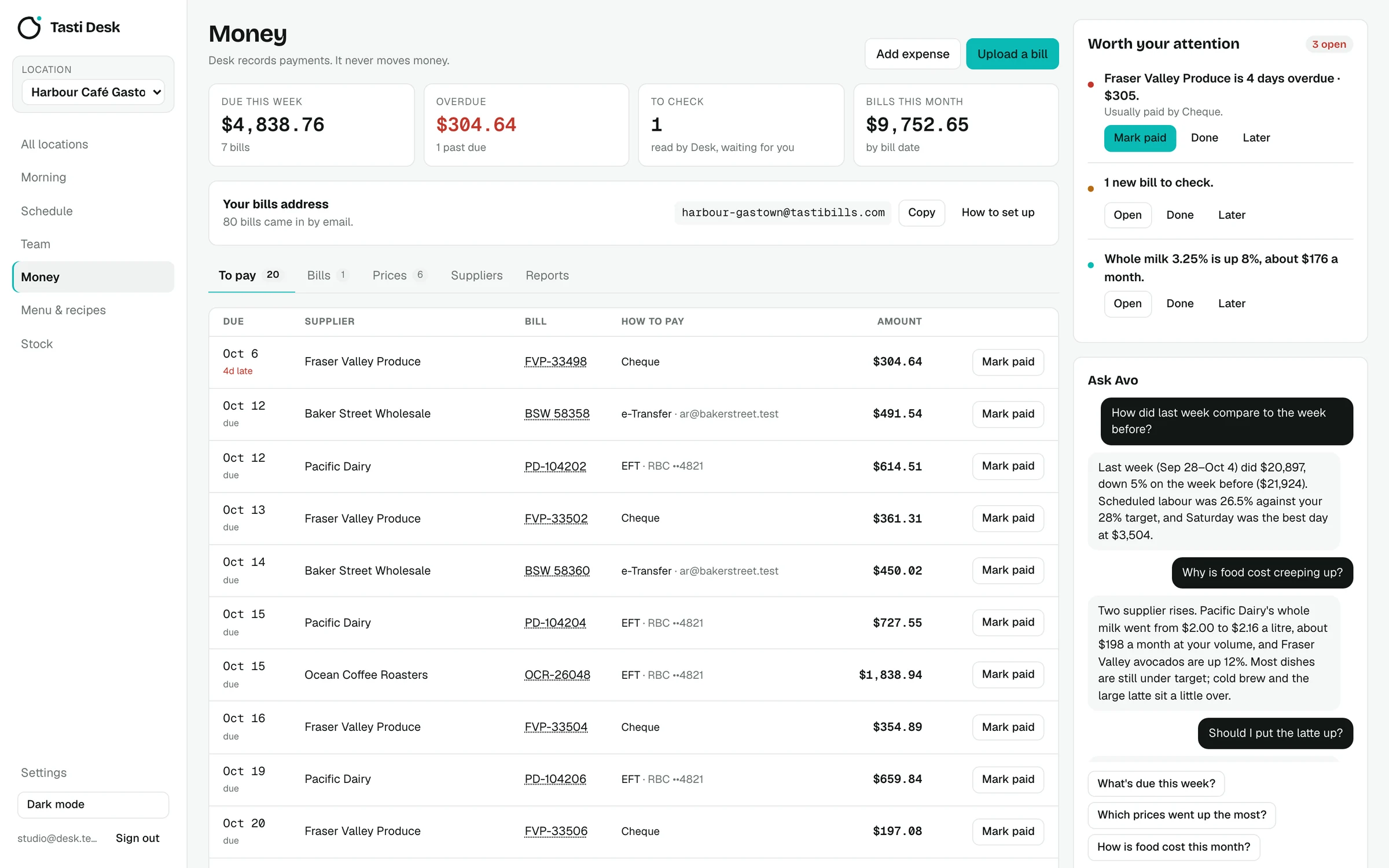
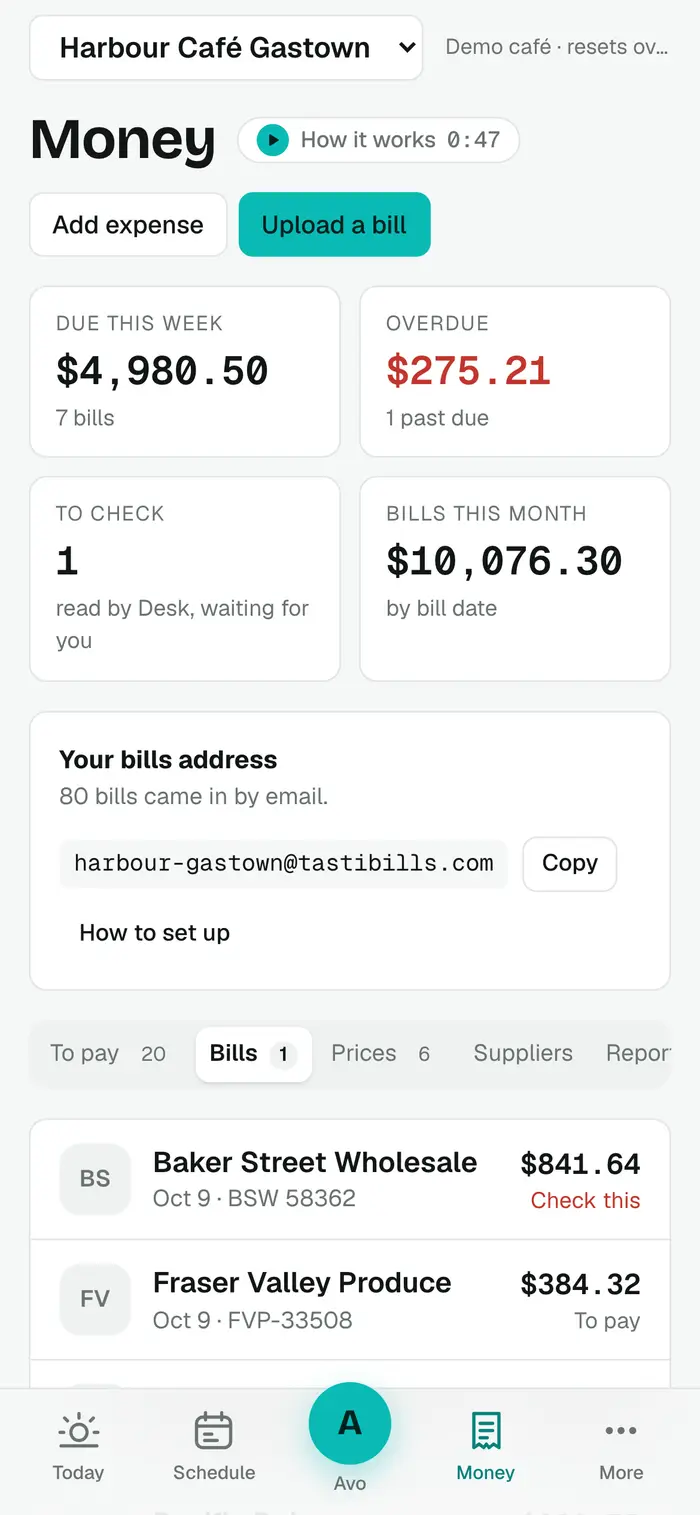
- Your own bills address. One address per location. Each PDF or image attached to a forwarded email becomes a bill (up to 10 per email); an email with no attachment is read as the bill when it is one. Gmail forwarding is walked through step by step, and Gmail's confirmation code shows up inside Desk.
- Upload or photo. Upload several PDF, JPG, PNG or WebP files at once, up to 20 MB each. On a phone that usually means taking a photo of the paper invoice.
- Read line by line. Supplier, invoice number, invoice and due dates, payment terms, GST, PST, deposits and delivery charges, total and amount due. Each line gets its description, item code, pack size, quantity, unit (kg, L or each) and line total.
- Checks on every bill. Lines plus tax that don't match the total, the same invoice sent twice, partly paid bills, missing pack sizes, statements and credit notes, and new suppliers are flagged for a look.
- Bookkeeping categories. Each line is filed as Food, Beverage, Alcohol, Packaging or one of the operating categories. Correct one and the same supplier's item keeps your category next time.
- What's due. Due dates come from the bill or the supplier's terms. To pay shows due and late bills; Mark paid records the date, method (EFT, e-Transfer, cheque, card, cash, auto-pay) and a reference. Suppliers paid by card or cash are filed as paid.
- Approval limit. Owners can set an amount above which only the owner can mark a bill paid.
- Matched to your orders. An invoice dated within 4 days of an order placed in Stock is compared line by line, and short or missing items are flagged.
- Suppliers built for you. Suppliers are created from their bills, with sender emails, terms, payment method, contact, delivery days and how they take orders.
How it works
- Copy your location's bills address from Money and forward a supplier email to it, or set a forwarding rule in Gmail.
- Or tap Upload and choose the PDF or take a photo of a paper bill.
- Desk reads it in seconds. Anything that needs a look shows as Check this; the rest goes to To pay.
- Pay your supplier the way you always do, then tap Mark paid so the record stays straight.
Who it’s for
Owners who get invoices from produce, dairy, coffee, liquor and packaging suppliers by email and on paper, and who key them in or leave them in an inbox today.
In BC and the rest of Canada
- Bills are read for Canadian invoices: GST and PST are pulled out separately, amounts are in CAD.
- Reports total GST and PST for your bookkeeper over any date range.
- Bill files and data are stored in Canada (Montréal).
What it doesn’t do
- Desk never pays bills or moves money; it records what you paid.
- No QuickBooks or Xero connection today; you get a CSV of bills and a full export instead.
- No bank feed.
- The AI can misread a smudged photo; bills that don't add up are flagged for you to check.
Price
Supplier bills is part of the one Tasti Desk plan: $149 CAD per location a month, or $1,490 a year, with every feature included. 30 days free, no card. Square connects in a few minutes and brings in real sales, menu and team. On another POS, the founder builds the connection on request; schedule, team, bills, menu and stock work either way. See pricing.
Questions
How do supplier invoices get into Tasti Desk?
Forward the email to your location's own bills address, or upload a PDF or photo. Each attachment becomes a bill.
Does Desk pay my suppliers?
No. It keeps track of what's due and records what you paid. Paying stays with you.
Does it read GST and PST?
Yes. GST and PST are read separately from each bill, and Reports totals them for any date range.
What if a supplier sends the same invoice twice?
Desk flags a duplicate when the supplier and invoice number match, or the supplier, date and total match.
Does it connect to QuickBooks or Xero?
Not today. You can download bills as a CSV from Reports, and the owner can export everything as one ZIP of CSV files.
Who can see bills?
Owners always. Managers only if the owner gives them the Money area. Staff never.