The live demo opens the same café with no sign-up. Click around and change anything: it resets overnight, and nothing in it is ever emailed or texted.
1. Today: the morning note and what needs you
- What you see
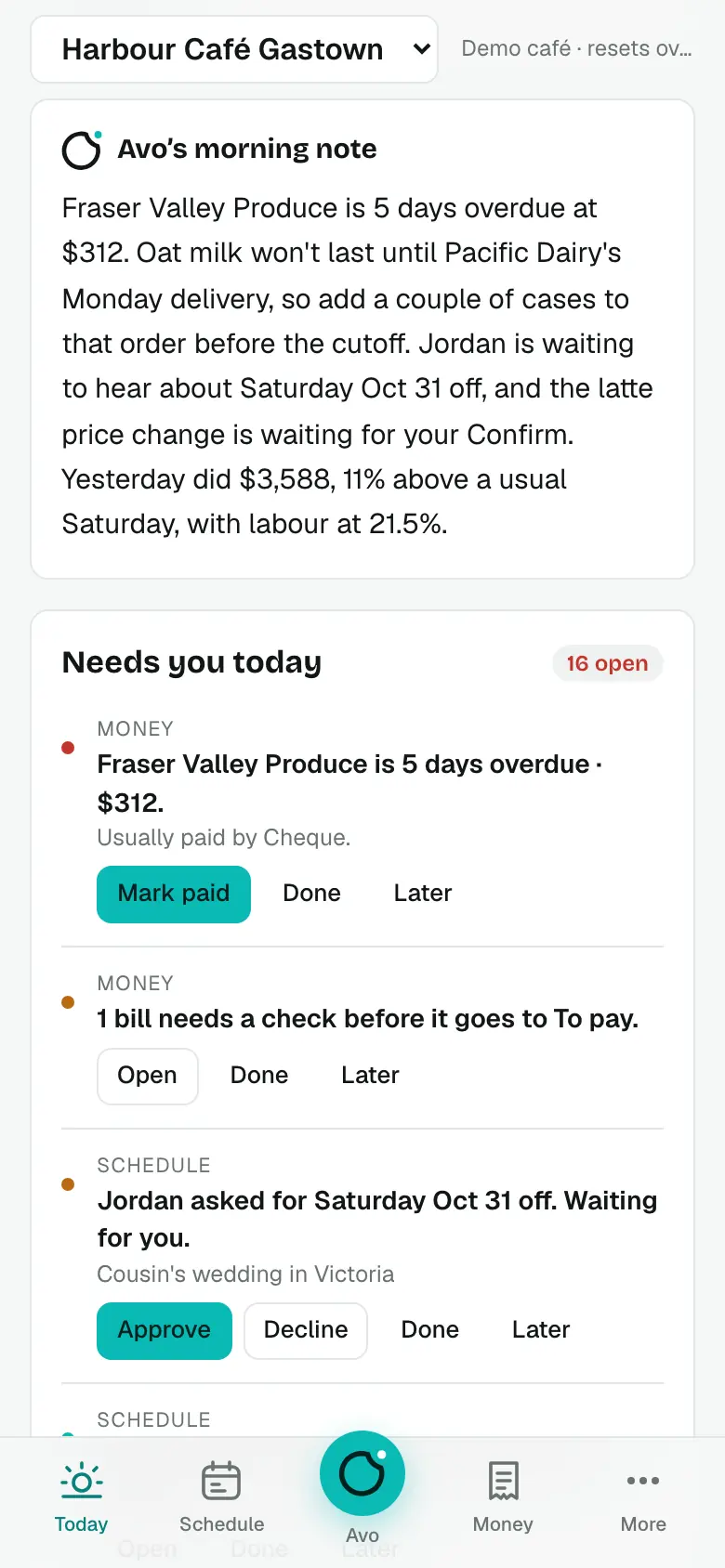
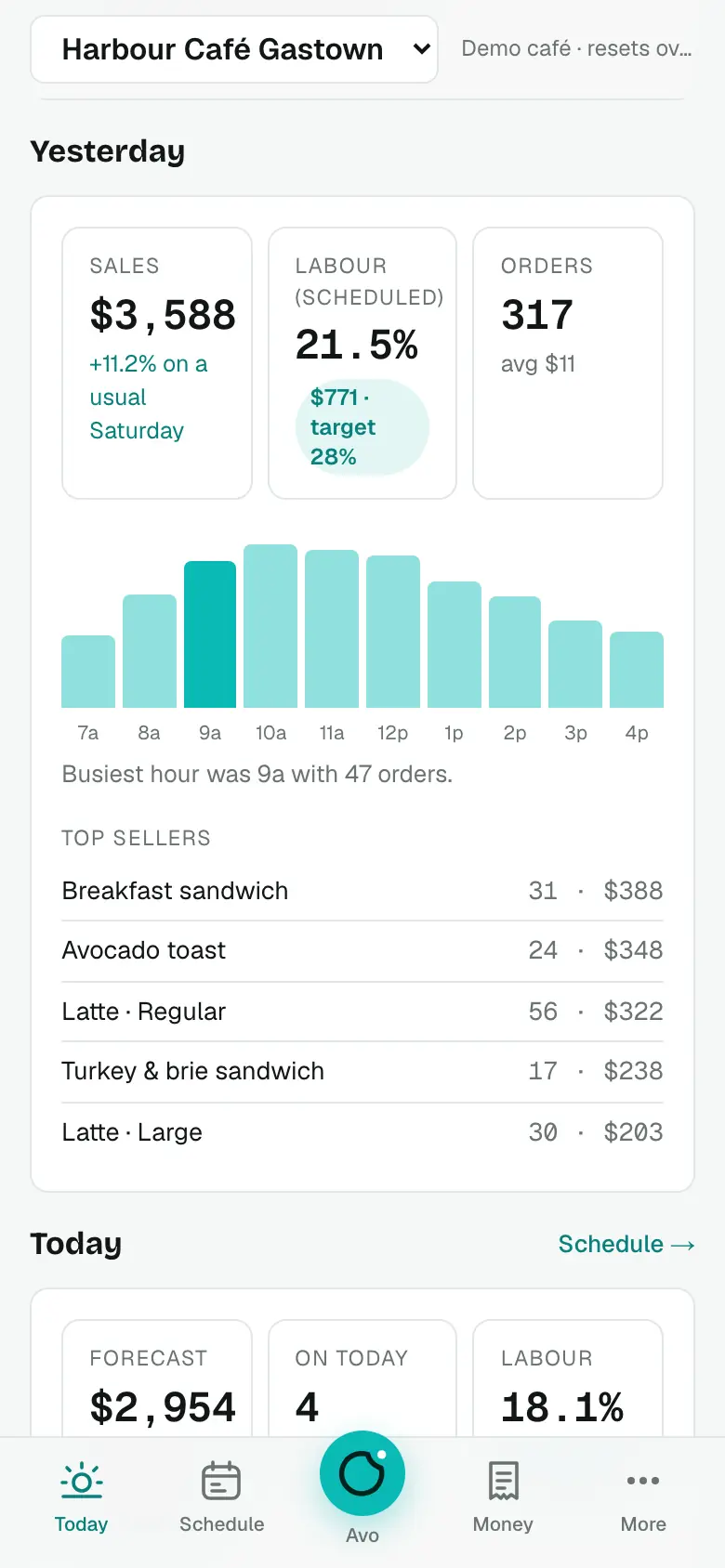
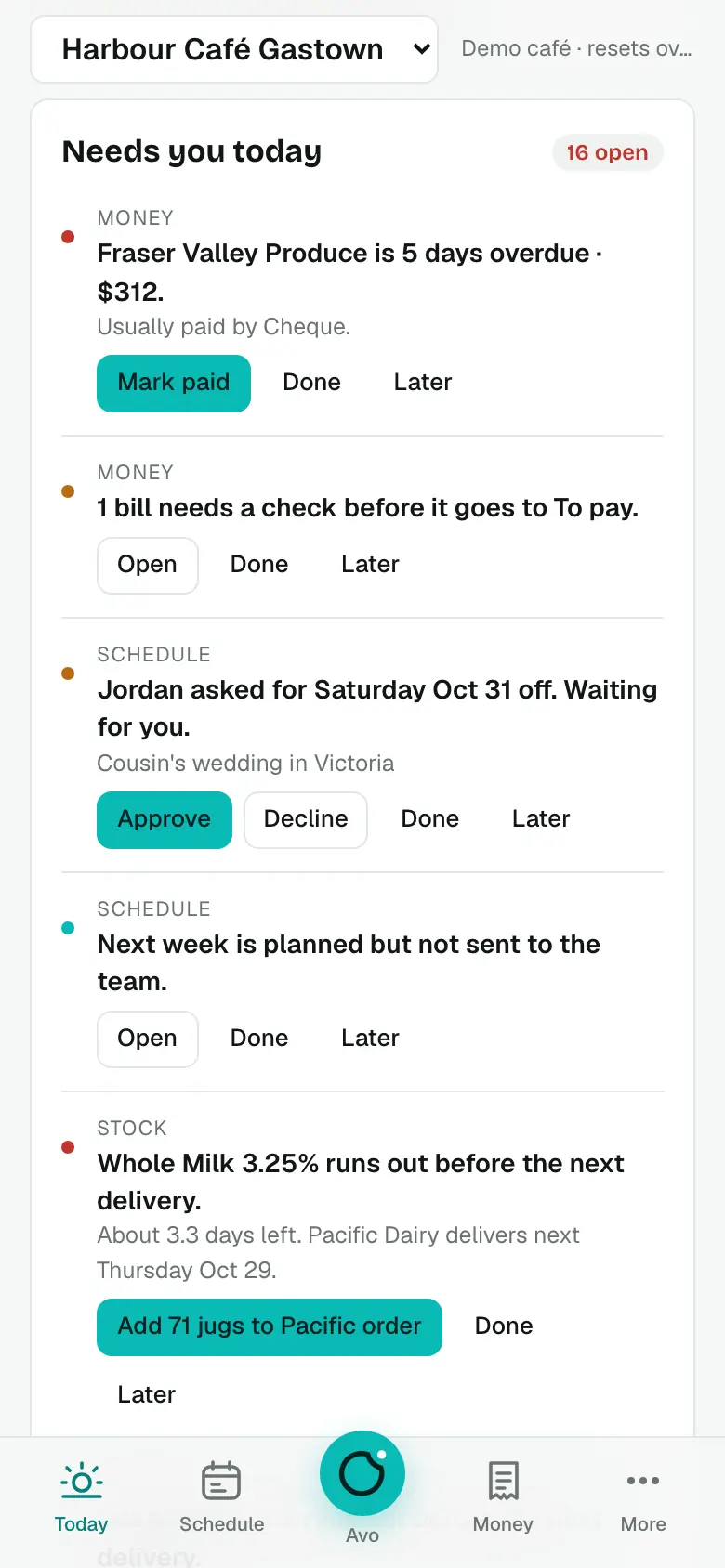
- The Today screen opens with Avo's morning note, then yesterday's sales, scheduled labour % against your target and orders, the busiest hour and the top sellers. Under that: today's sales forecast (the average of the last 4 same weekdays), who is on and today's labour %, and one list called Needs you today: an overdue bill, a bill to check, a day-off request, milk that runs out before the next delivery, a supplier price rise, a food safety certificate about to expire.
- What Avo does
- Avo writes the morning note from your own numbers: sales from your POS, the schedule, supplier bills and stock. Order cutoffs and deliveries for the week sit at the bottom of the screen.
- What waits for your Confirm
- Every item in Needs you today has its own button (Mark paid, Approve, Add to the order) or Done and Later. Changes Avo proposed show as Waiting for your OK with a Confirm button.
2. Ask Avo in plain words
- What you see
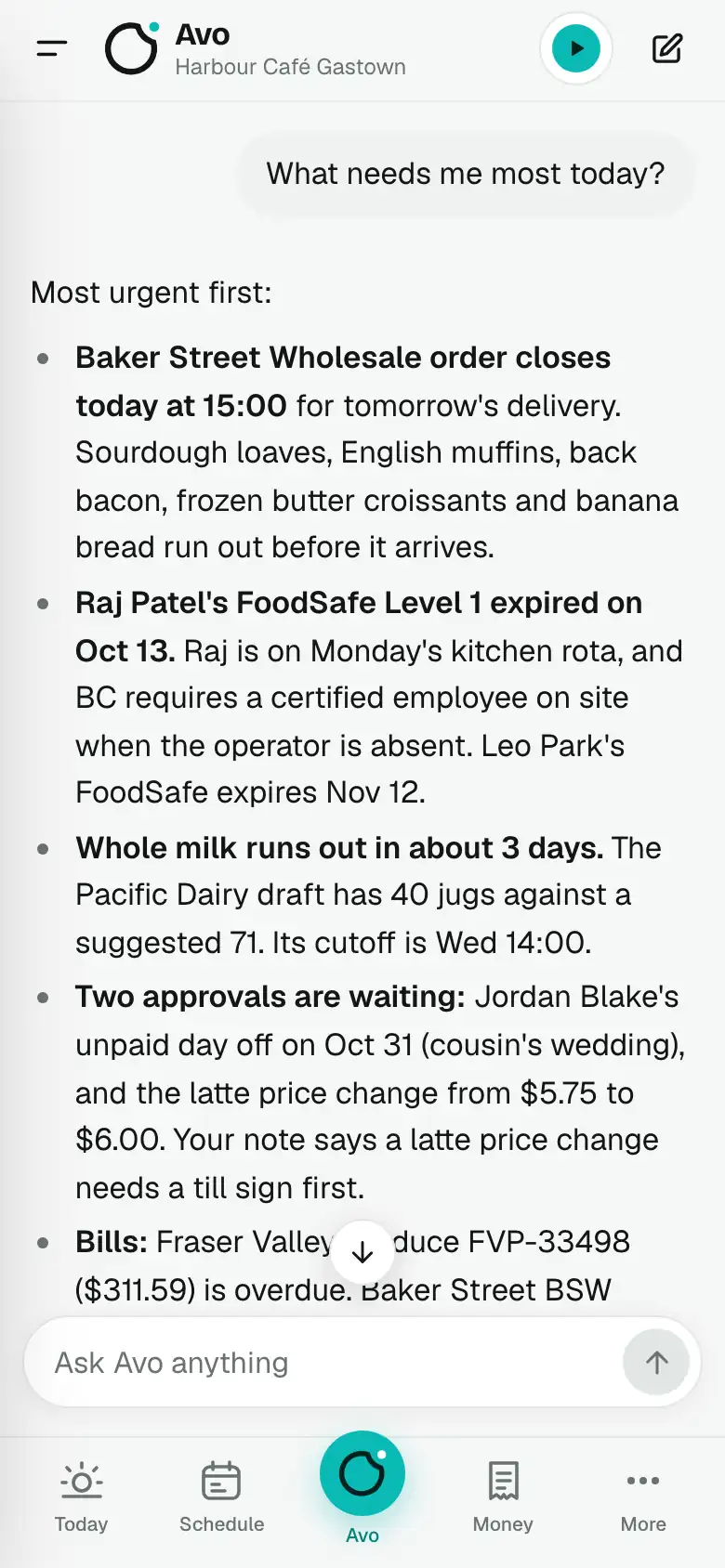
- Avo is the built-in AI assistant; its icon is the Tasti mark in the middle of the tab bar. You type a question like “What needs me most today?” and get an answer about your café, with follow-up actions you can tap. Past chats stay in the list.
- What Avo does
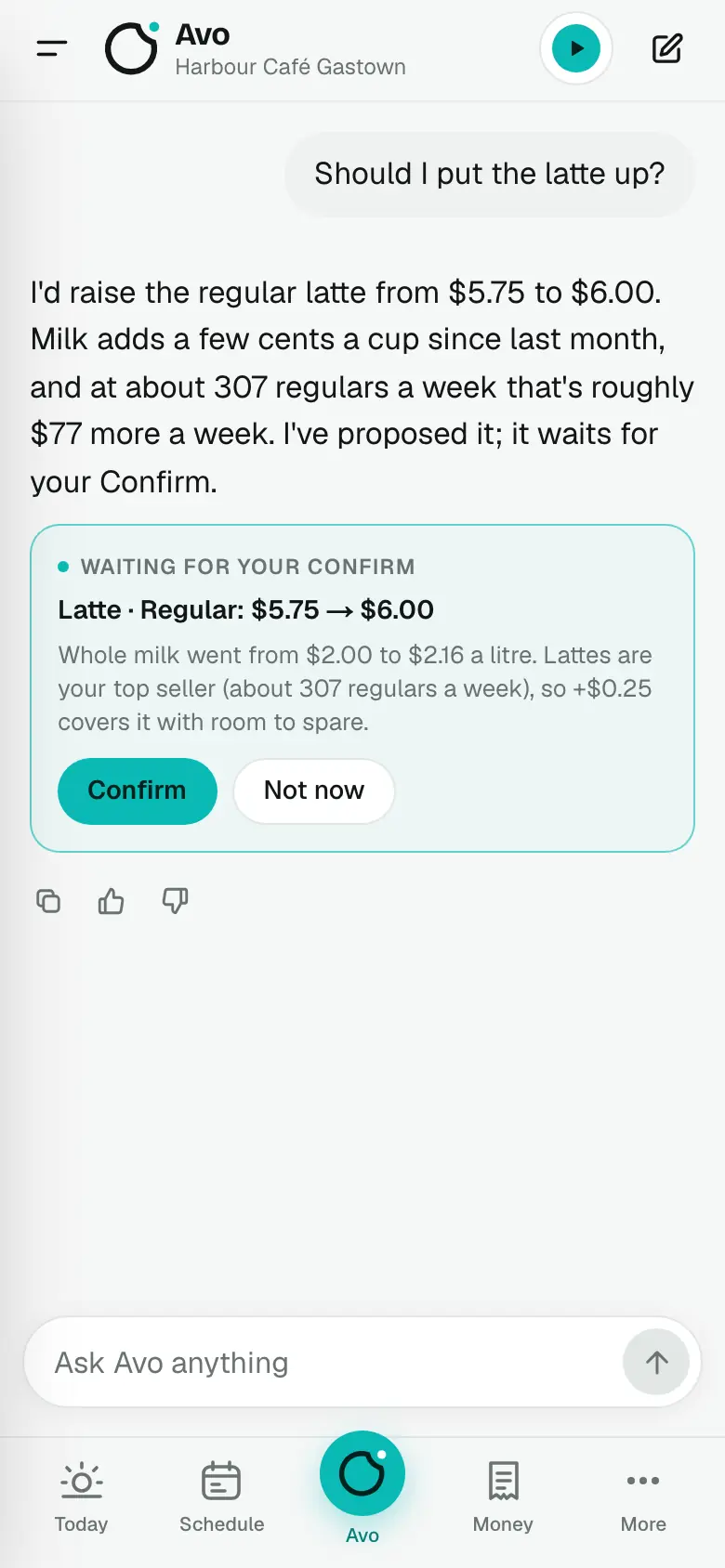
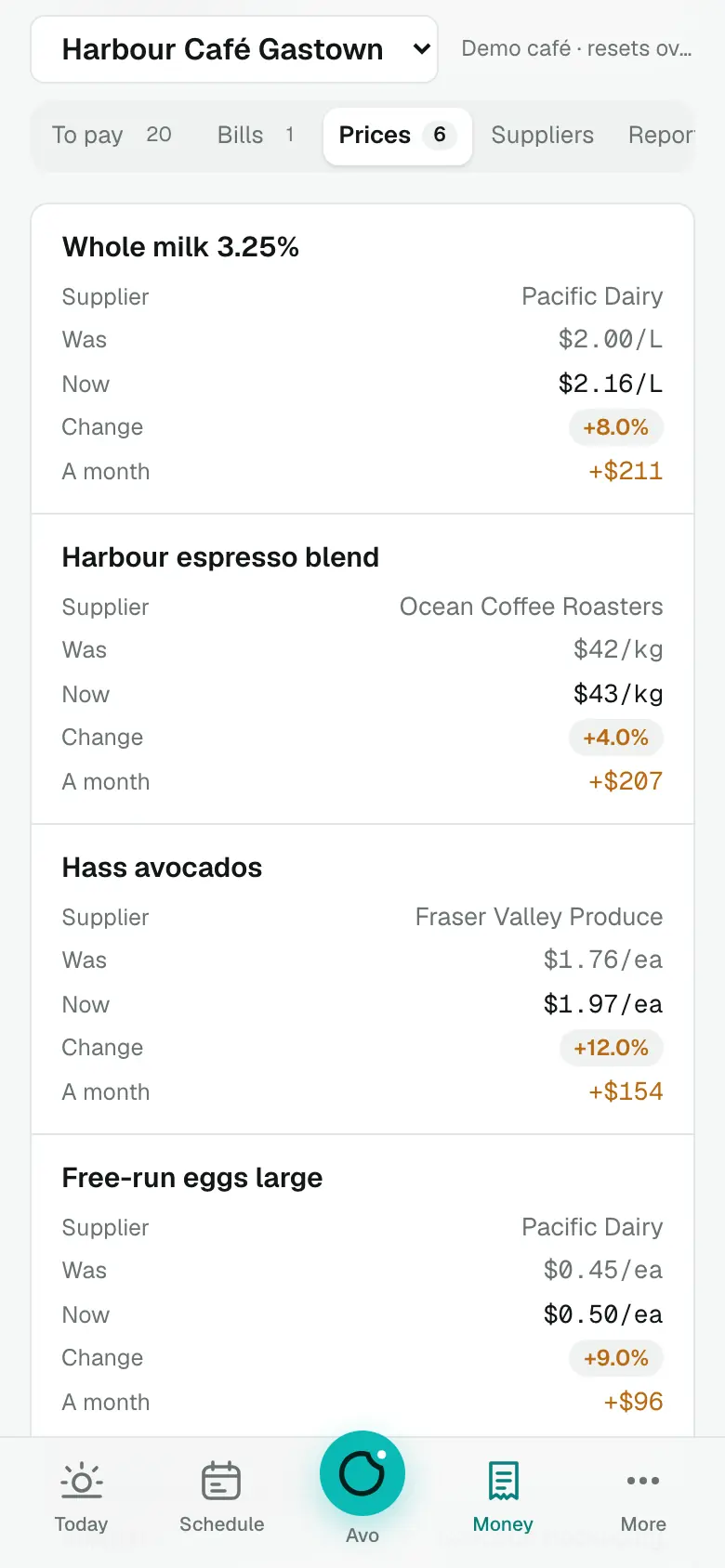
- Avo answers from your numbers: sales, schedule, bills, recipes and stock (in Settings you choose what it can read). In the demo it lists the bakery order that closes today, an expired FoodSafe certificate, milk running low, two approvals waiting and an overdue bill. Asked “Should I put the latte up?”, it proposes raising the regular latte from $5.75 to $6.00 because whole milk went from $2.00 to $2.16 a litre.
- What waits for your Confirm
- Anything Avo proposes (a menu price, a day off) appears as a card marked Waiting for your confirm, with Confirm and Not now. Nothing changes until you tap Confirm.
3. The staff schedule with labour cost and labour rules
- What you see
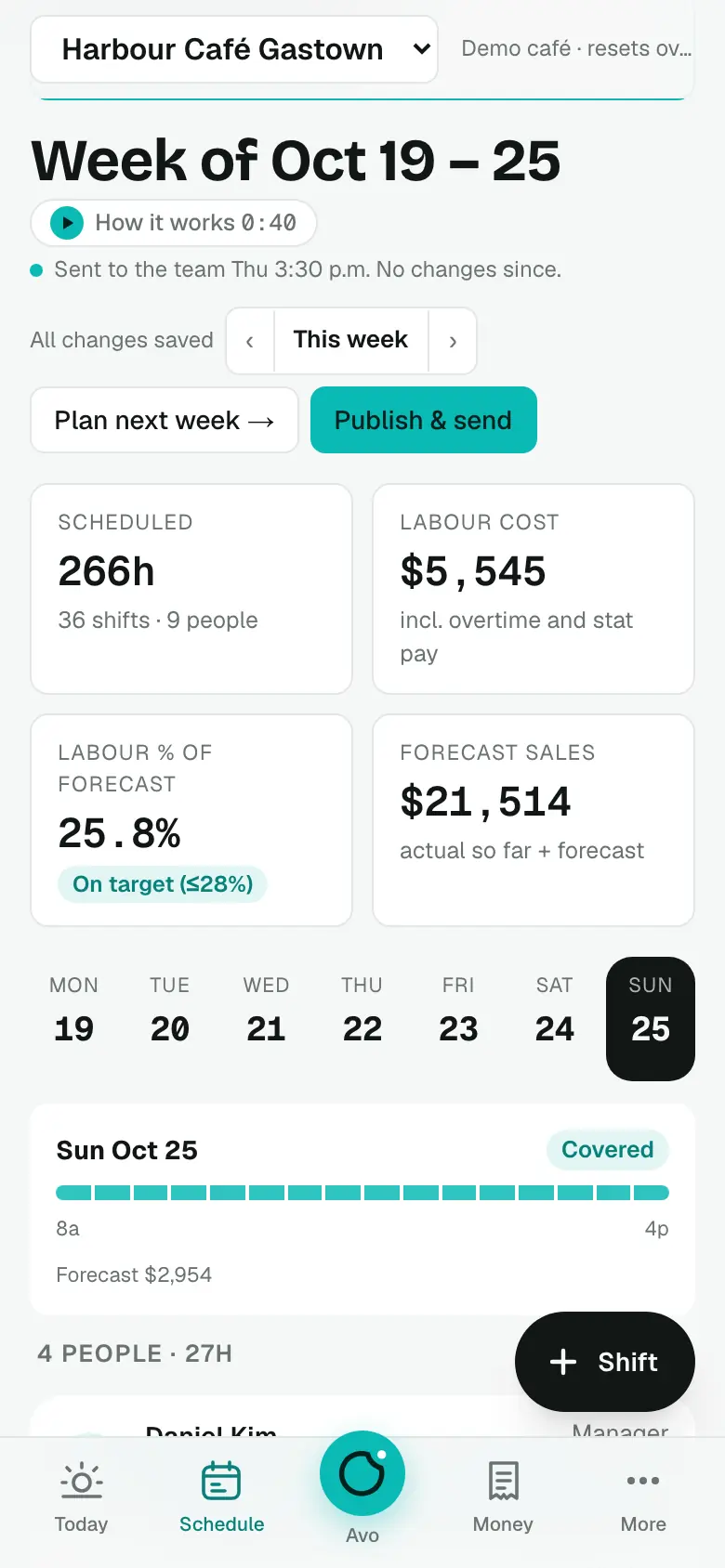
- A week of shifts per person with scheduled hours, labour cost (including overtime and stat pay), labour % of forecast against your target and forecast sales. On a phone it shows one day at a time with a coverage bar, who is on, a Checks panel and a Requests panel for days off.
- What Avo does
- Plan next week drafts the week from availability, roles, opening hours and forecast sales, or you build it yourself. As you go, Desk checks the labour rules of your province or state: daily and weekly overtime, rest between shifts, weekly rest, minimum shift pay, availability and coverage. Labour rules built in for every Canadian province and territory and for 10 US states (Arizona, California, Colorado, Florida, Illinois, Massachusetts, New York, Oregon, Texas, Washington). In the other states: minimum wage and overtime.
- What waits for your Confirm
- Nothing reaches the team until you tap Publish & send: each person gets their own shifts by email and a private link, no app or password. Day-off requests wait for your Approve or Decline.
4. Someone calls in sick: cover by text
- What you see
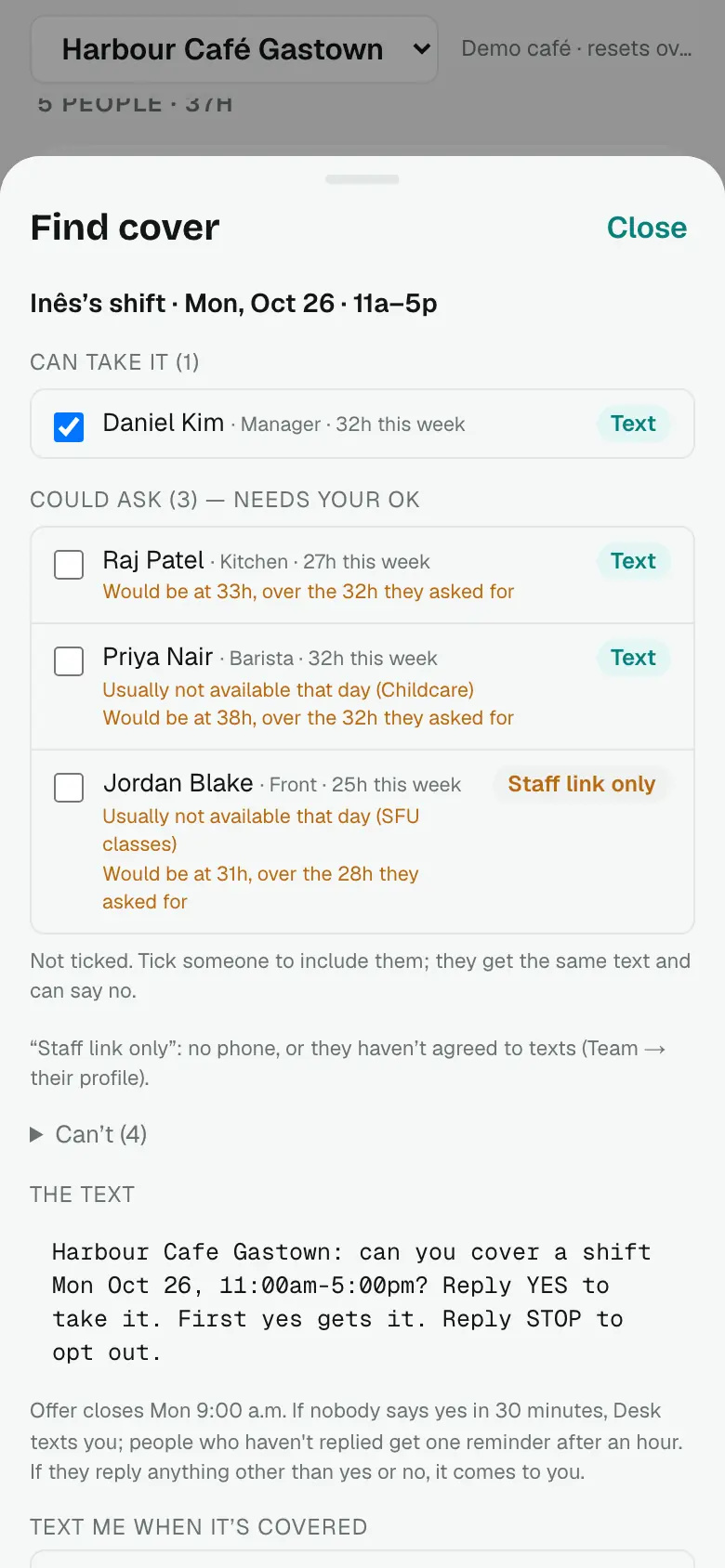
- Open the shift and tap Find cover (or tell Avo “Sam is sick tomorrow, find cover”). Desk sorts the team: who can take it (free that day, rested, not on a day off), who could with your OK and why (overtime, more hours than they asked for, usually unavailable that day, wrong role), and who can't. People with no phone or no text consent are marked Staff link only. The exact text they will get is shown before you send.
- What Avo does
- When someone replies YES, the first YES gets the shift, the schedule updates, the others are told it's covered and you get a text (or an app notification) saying who took it. If nobody says yes in 30 minutes, Desk texts you; people who haven't replied get one reminder after an hour.
- What waits for your Confirm
- You pick who gets the text and tap Offer. Texts go only to people who agreed to get them. In the demo café nothing is ever texted.
5. Supplier bills, read for you
- What you see
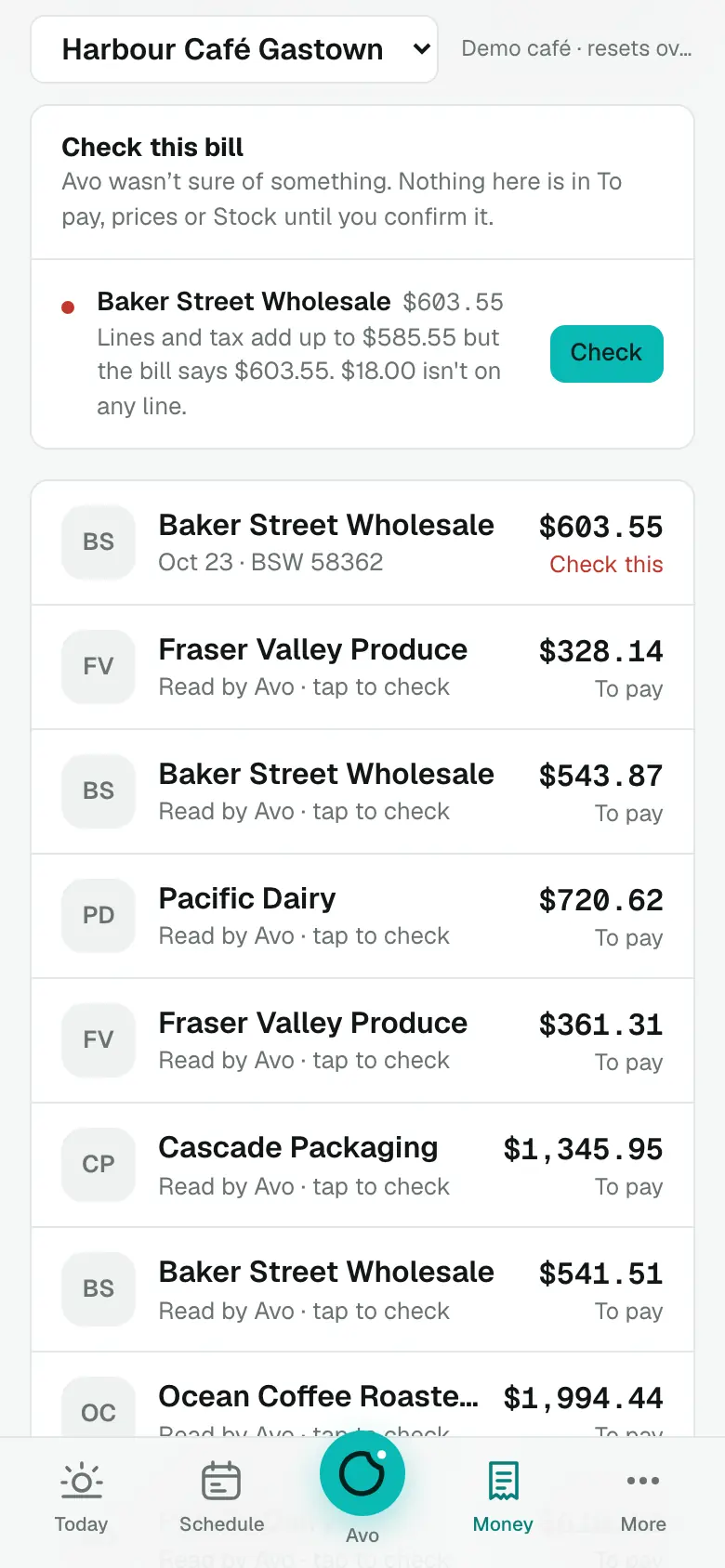
- Money shows what's due this week, what's overdue, bills to check and this month's total. Each location has its own bills address. Every bill is listed with its supplier, amount and status (To pay, Auto-pay, Paid), and the Prices tab shows what each item cost before and now, with what the change costs you a month.
- What Avo does
- Forward supplier emails to the bills address or snap a bill, and Avo reads it line by line. Anything it isn't sure about waits in Check this bill: in the demo, a bakery bill whose lines and tax add up to $18.00 less than its total.
- What waits for your Confirm
- A bill in Check this bill isn't in To pay, prices or stock until you confirm it. Desk never moves money: Mark paid only records a payment you made.
6. Food cost and menu prices
- What you see
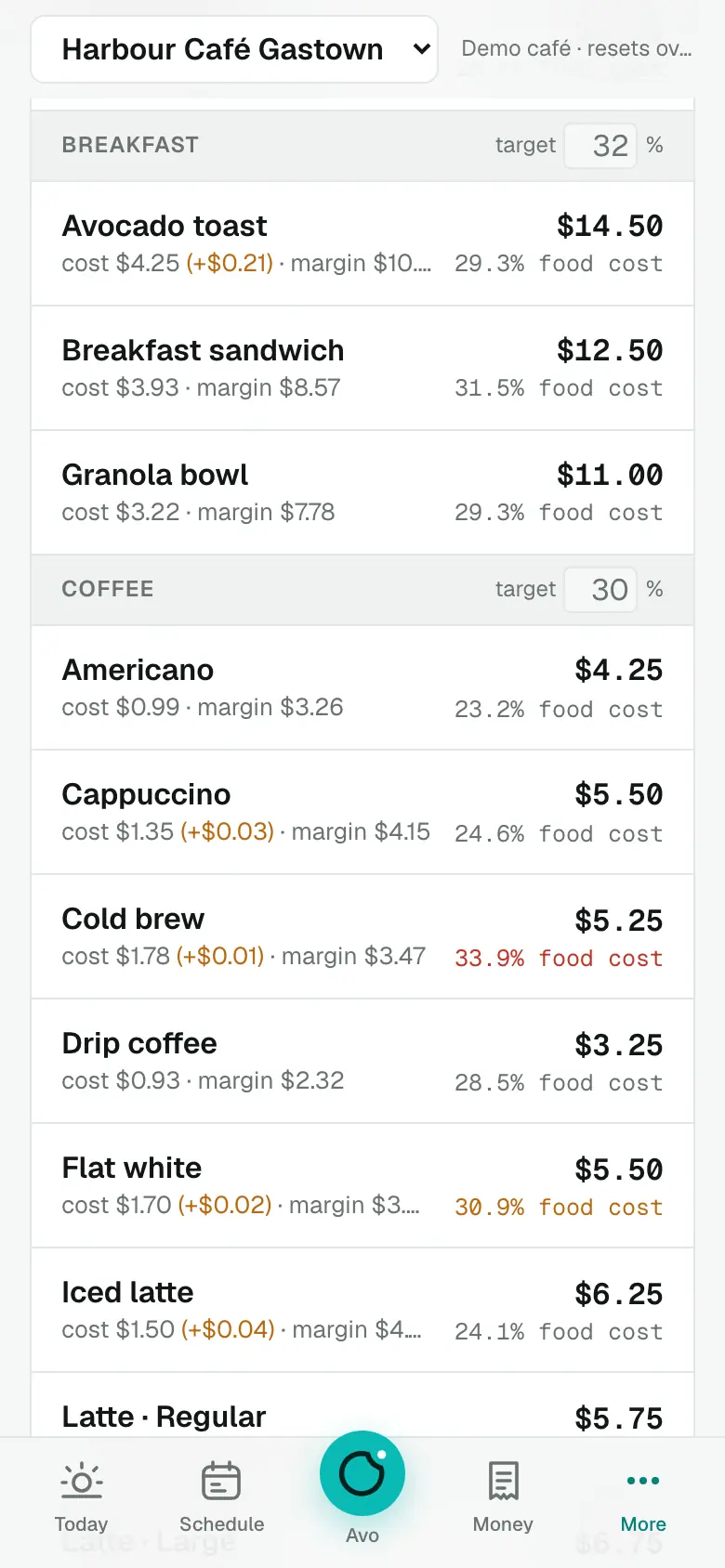
- Every dish and drink with its cost, margin and food cost %, against a target per category, and how much its cost rose since a set date.
- What Avo does
- Costs come from the prices on your latest bills. When a supplier raises a price, Avo works out the menu price that keeps your margin per serve; in the demo, the avocado toast after Hass avocados went up.
- What waits for your Confirm
- The new price waits for you on Today. Nothing changes until you confirm; a changed price is written back only to Square, only if you turned on menu changes.
7. Stock and what to order
- What you see
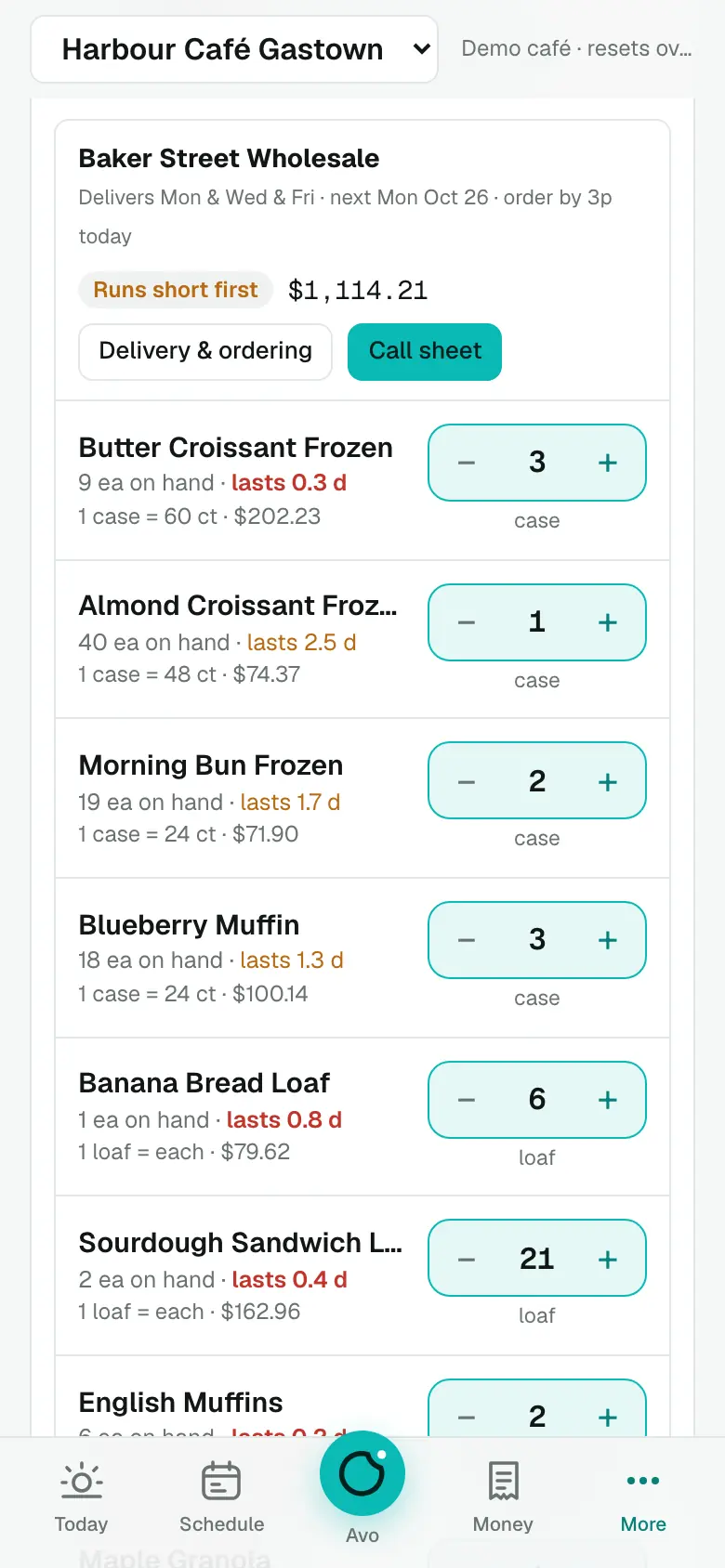
- Stock on hand, what runs out before the next delivery, what went missing since the last count and the next count date. Under What to order, each supplier has its delivery days, the order cutoff and a suggested quantity per item, with how long what's on hand will last.
- What Avo does
- Suggestions last until the delivery after next plus 2 days of buffer, at the pace you actually use each item. Avo puts each order cutoff on Today the day before and on the day.
- What waits for your Confirm
- Every line is yours to change, and you can add anything Avo doesn't know about. Desk drafts the order (a call sheet or PDF); you send it to the supplier.
What Tasti Desk doesn’t do
- Payroll, a time clock or timecards.
- Tip pooling or shift swaps.
- Paying bills or moving money of any kind.
- QuickBooks or Xero sync: it exports CSV for your bookkeeper.
- A point of sale, payments or online ordering: Desk works next to your POS.
Your POS: Square today, Clover in beta. Use another POS? Tell us which; we'll look at connecting it. See every feature, pricing and the FAQ.